Why I Built Resolve Vault
Resolve Vault is now available for everyone. In this article, I explain why I built it: the four critical points I found in DaVinci Resolve’s backups, how Resolve Vault covers each one, and the advantage of connecting your backups to the cloud.
As a DaVinci Resolve Certified Trainer, I want to be clear from the start: at no point do I want to replace DaVinci Resolve’s backup system, or take anything away from Blackmagic Design and the work they do.
DaVinci Resolve’s philosophy for backups is a valid one. Backups are ongoing: they’re created while you work and rotated over time, not saved forever. This is a very good approach, because it avoids filling your computer with a lot of space.
But there’s a consequence worth knowing. If you accidentally delete a project in your database, DaVinci Resolve also deletes that project’s backups.
My philosophy is different. I prefer to keep my backups, ready for any problem, and to be as close to 100% safe as possible. So I’d rather approach backups with extra caution. That’s why I built Resolve Vault: not as a replacement, but as an extra layer of security on top of what DaVinci Resolve already provides.
If you want to understand in detail how DaVinci Resolve’s backups work, I explained it step by step in my article Resolve Backups: A Detailed Explanation. This article builds on what I found there, during my tests and while reading DaVinci Resolve’s logs.
Here’s what I’ll cover. You can click on the topics to jump to that section if you’d like!
Disclosure: I’m the developer of Resolve Vault, a paid app, so I have a personal interest in it. Resolve Vault is an independent product. It is not affiliated with, endorsed by or sponsored by Blackmagic Design. DaVinci Resolve is a trademark of Blackmagic Design Pty Ltd. Everything I describe about DaVinci Resolve’s backup system is based on my own experience and testing, and on how Resolve works at the time of writing. It may change in future versions.
The Critical Points That Led Me to Build Resolve Vault
Four situations where DaVinci Resolve’s backups may not be enough, and how Resolve Vault covers them.
No backups in multi-user PostgreSQL
In PostgreSQL multi-user collaboration, Resolve doesn’t save project backups, to avoid write conflicts while several users are saving live.
This is exactly where a backup matters most. In a shared database, several people work on the same projects, so one mistake or one deleted project affects the whole team. Without project backups, the only protection left is a backup of the whole database, and in DaVinci Resolve that has to be done manually, as I explain in Database/Libraries Backups.
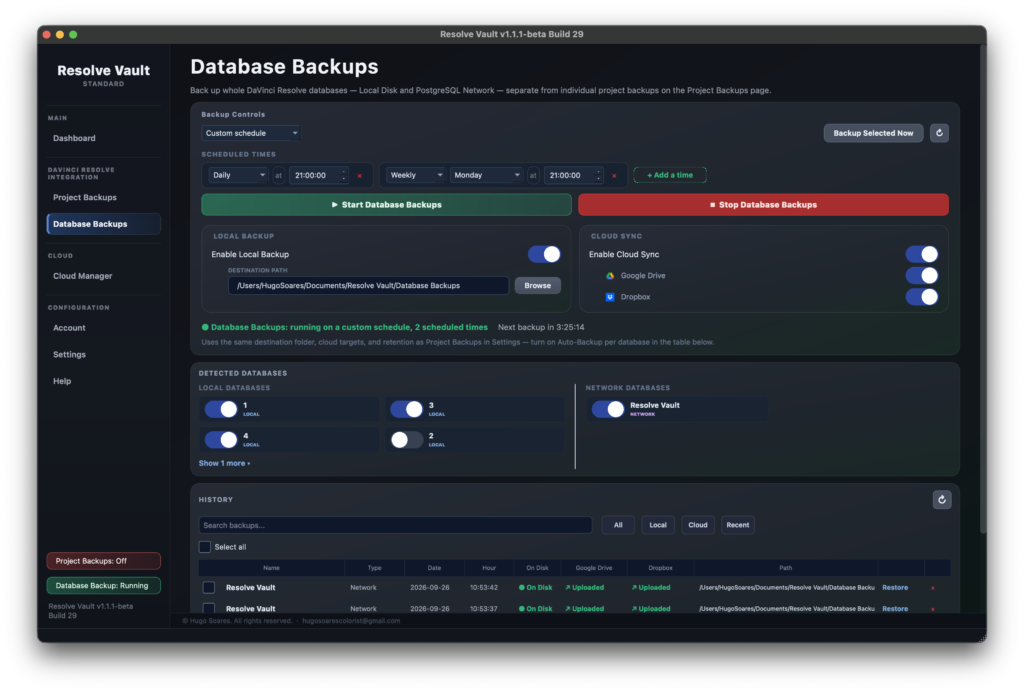
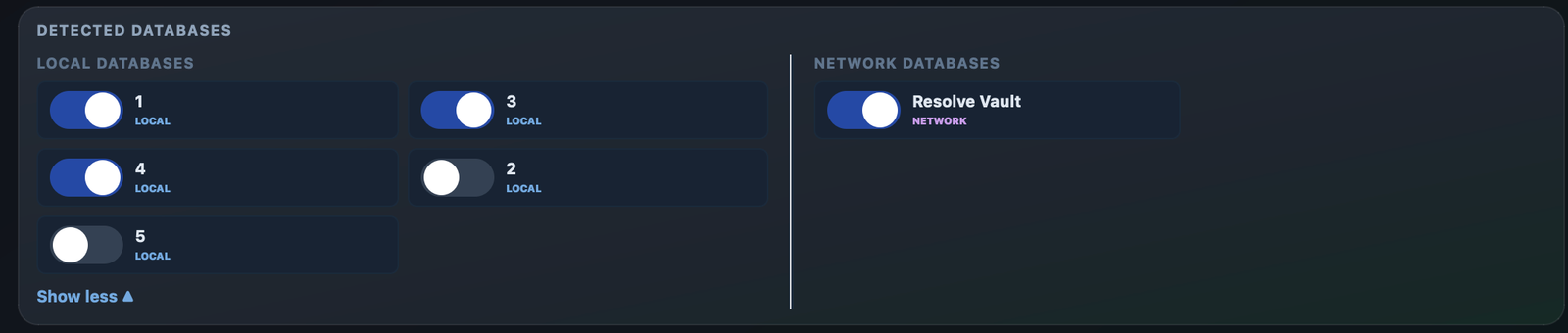
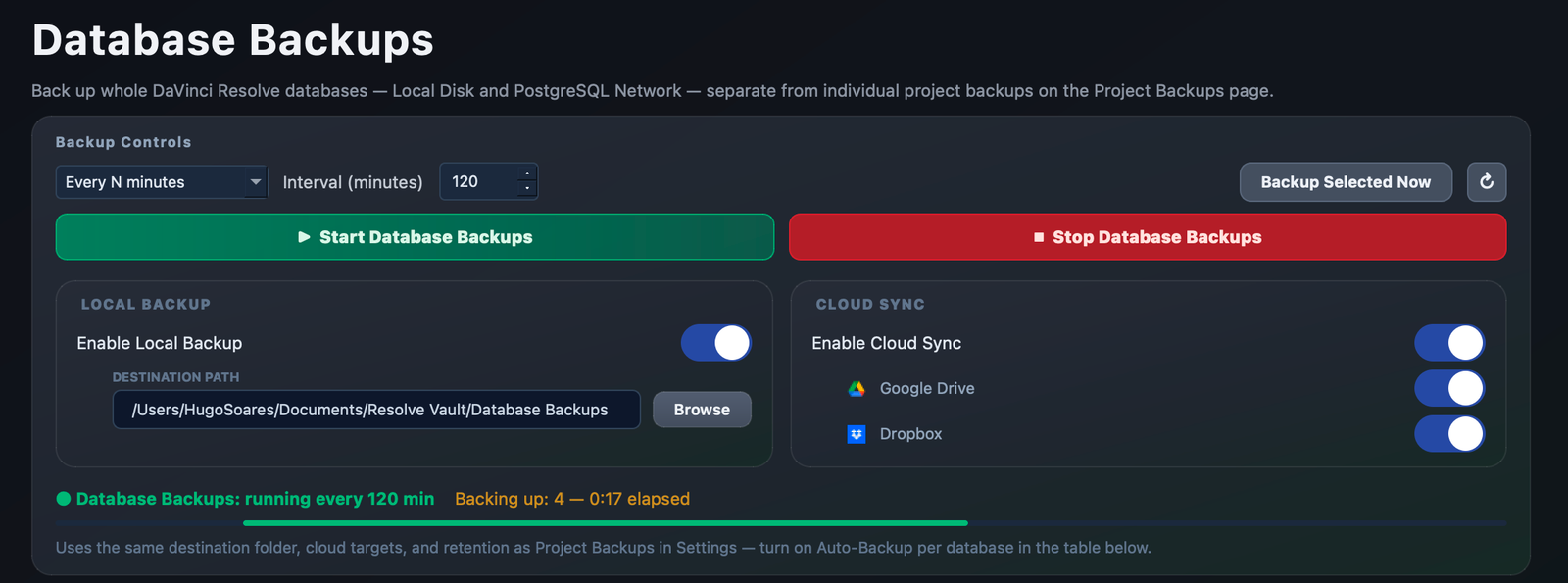
- Resolve Vault: backs up the whole PostgreSQL database on your schedule, covering every project and every user.
- Encrypted: each database backup is encrypted and saved as a single file.
- No extra install: it uses PostgreSQL’s own backup tools, which come bundled with DaVinci Resolve Studio.
- Separate machine: you can run it on a dedicated computer, only for your database backups. DaVinci Resolve is only needed to find the databases, and then you can close it.
Backups saved as .db files
Resolve’s project backups are saved as .db files, instead of simple .drp projects.
They live in the Resolve Project Backups folder, inside subfolders named with each project’s unique ID, such as “2efaa3e2-f56d-417f-8128-bf709f522ed4”, and as files like Project.db.20250101154110. Looking at these folders, it’s not possible to tell which project is which, and the folder structure must stay exactly as it is for DaVinci Resolve to read the backups. I explain this in What are the Coded Folder Names in the Backup Folders? and Structure of Folders Inside Resolve Project Backups.
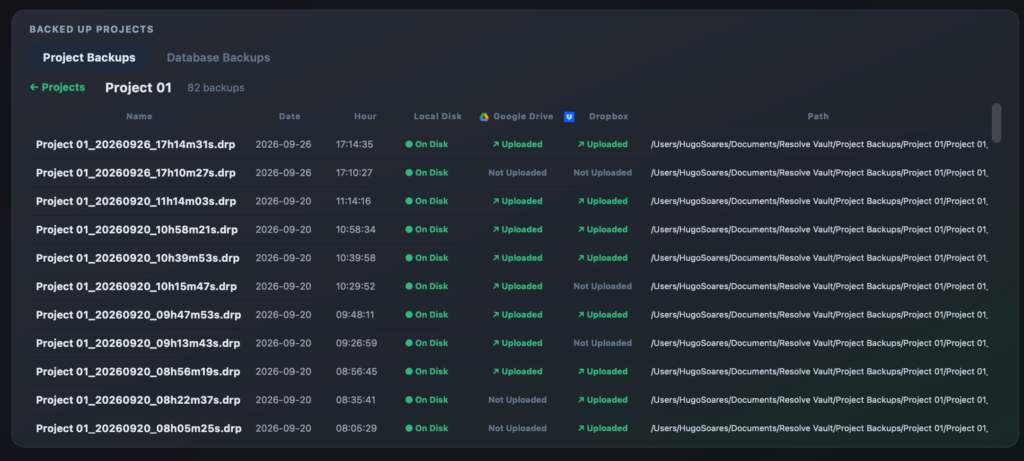
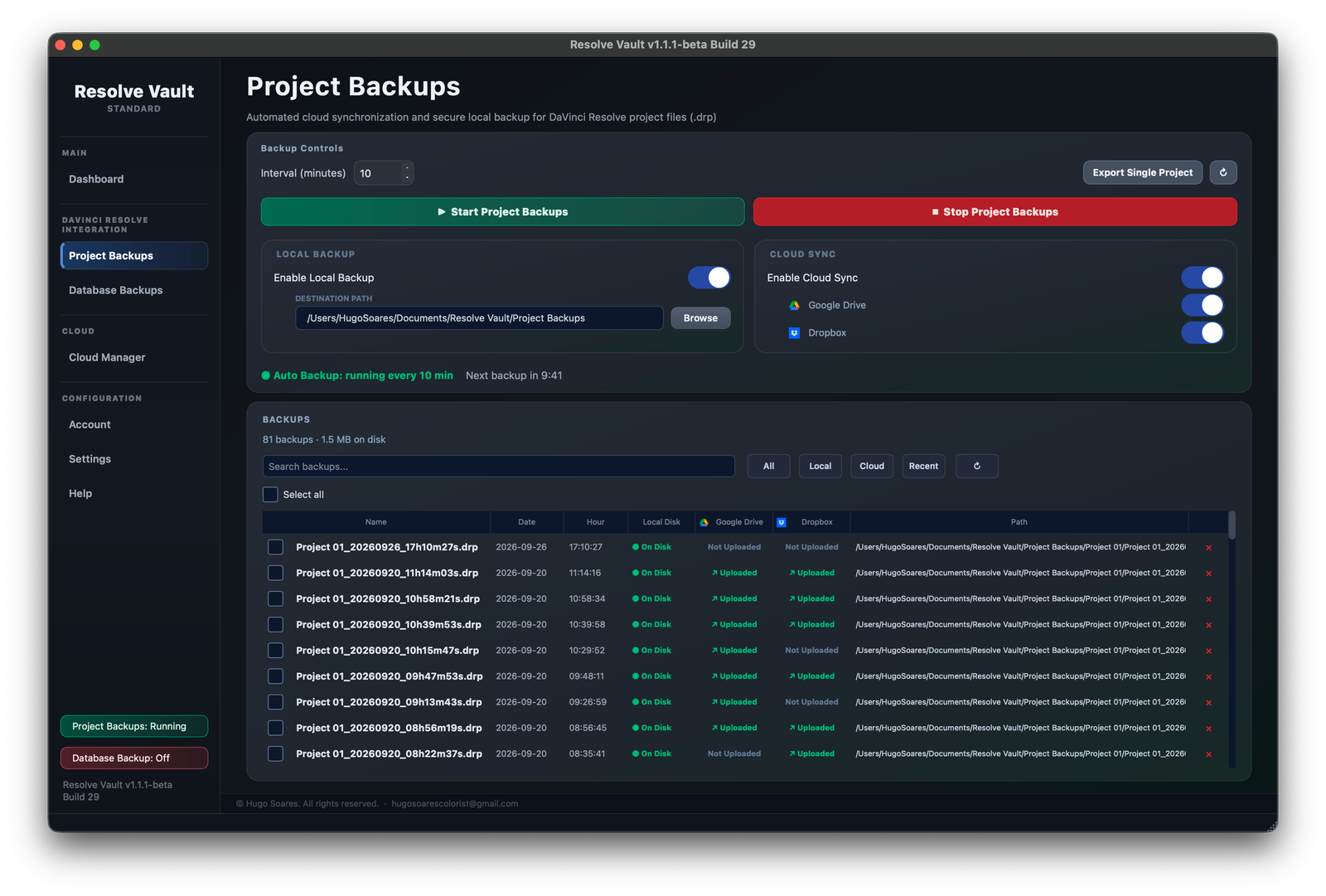
- Resolve Vault: saves your open project as a real .drp file every few minutes.
- Easy to find: each file is named after the project, with the date and time, for example Project 01_20260926_17h14m31s.drp.
- Easy to open: a .drp can be imported into any database, on any computer with DaVinci Resolve.

Old backups are deleted automatically
After the default time, DaVinci Resolve deletes old backups to avoid using a lot of space.
With the default save settings, this happens faster than most people expect:
- Perform backups every: 10 minutes, but only the last hour of work is kept (six backups).
- Hourly backups for the past: 2 hours.
- Daily backups for the past: 2 days.
The trigger for deleting old backups is the creation of a new one. So when you reopen a project after the weekend, or after months, and make any change, DaVinci Resolve creates a new backup and deletes the older ones based on these settings. I explain the full cycle in Auto Backups Save Settings and When Does DaVinci Resolve Actually Delete Auto Backups?. In that article, I also recommend raising these settings to 24 hours and 365 days.
- Resolve Vault: keeps all your backups until you decide to delete them, no matter how long the project was closed.
- Your choice: if you want to save space, you can set Resolve Vault to keep only your last backups. This is off by default.

Deleting a project deletes its backups
If you delete a project by accident, its backups are deleted at the same moment.
A few years ago, my first impression was that I would always be safe because DaVinci Resolve had auto backups. In reality, if I didn’t have a database backup or a .drp file outside DaVinci Resolve, and I deleted the project for any reason, there was no way to recover it. That’s why, in To avoid that: Export your project in drp. regularly, I recommend exporting your project at least once or twice a day.
- Resolve Vault: does that export for you, automatically, while you work.
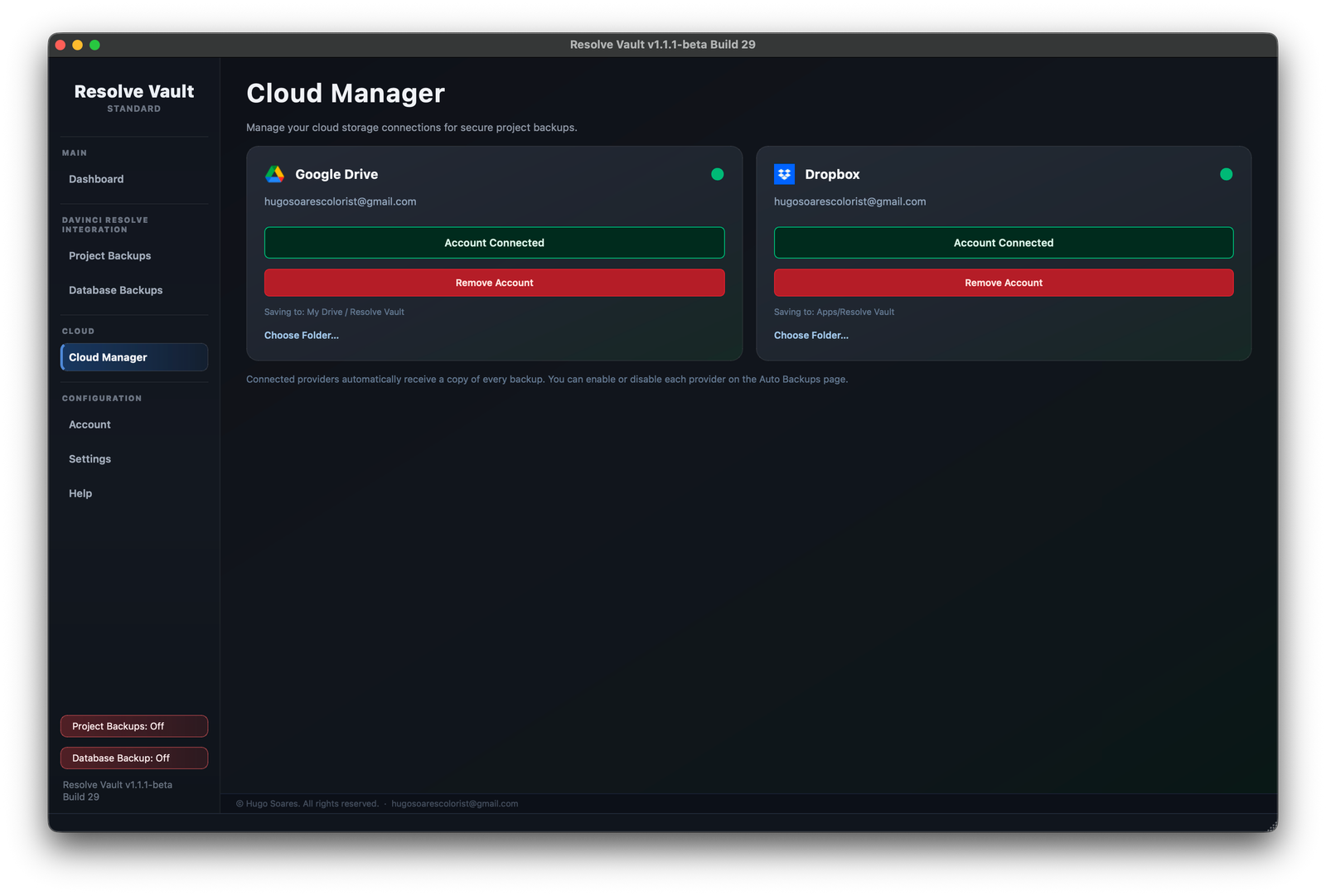
- Kept separately: your backups stay on your disk and in Google Drive or Dropbox, so they stay safe even if the project is gone.
- Restore as a new copy: restoring never touches or overwrites the original.
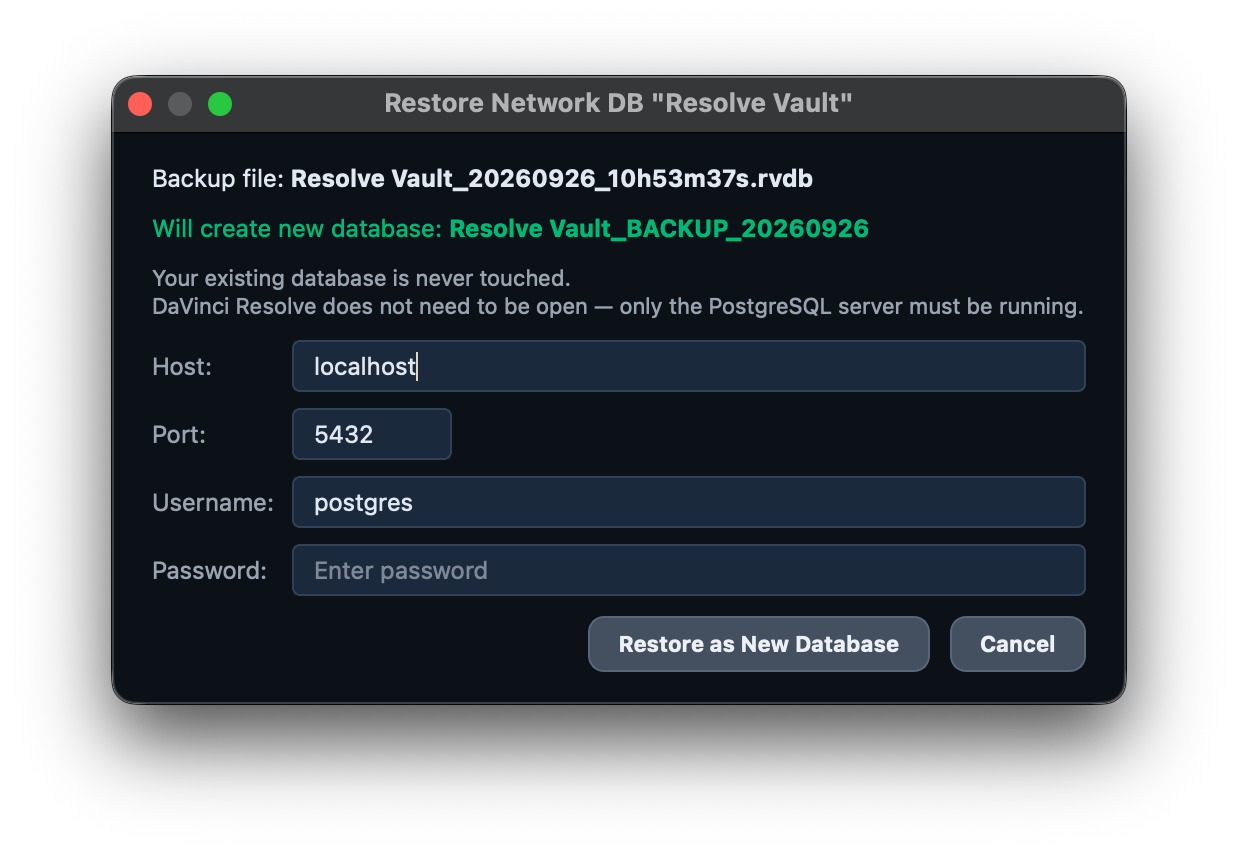
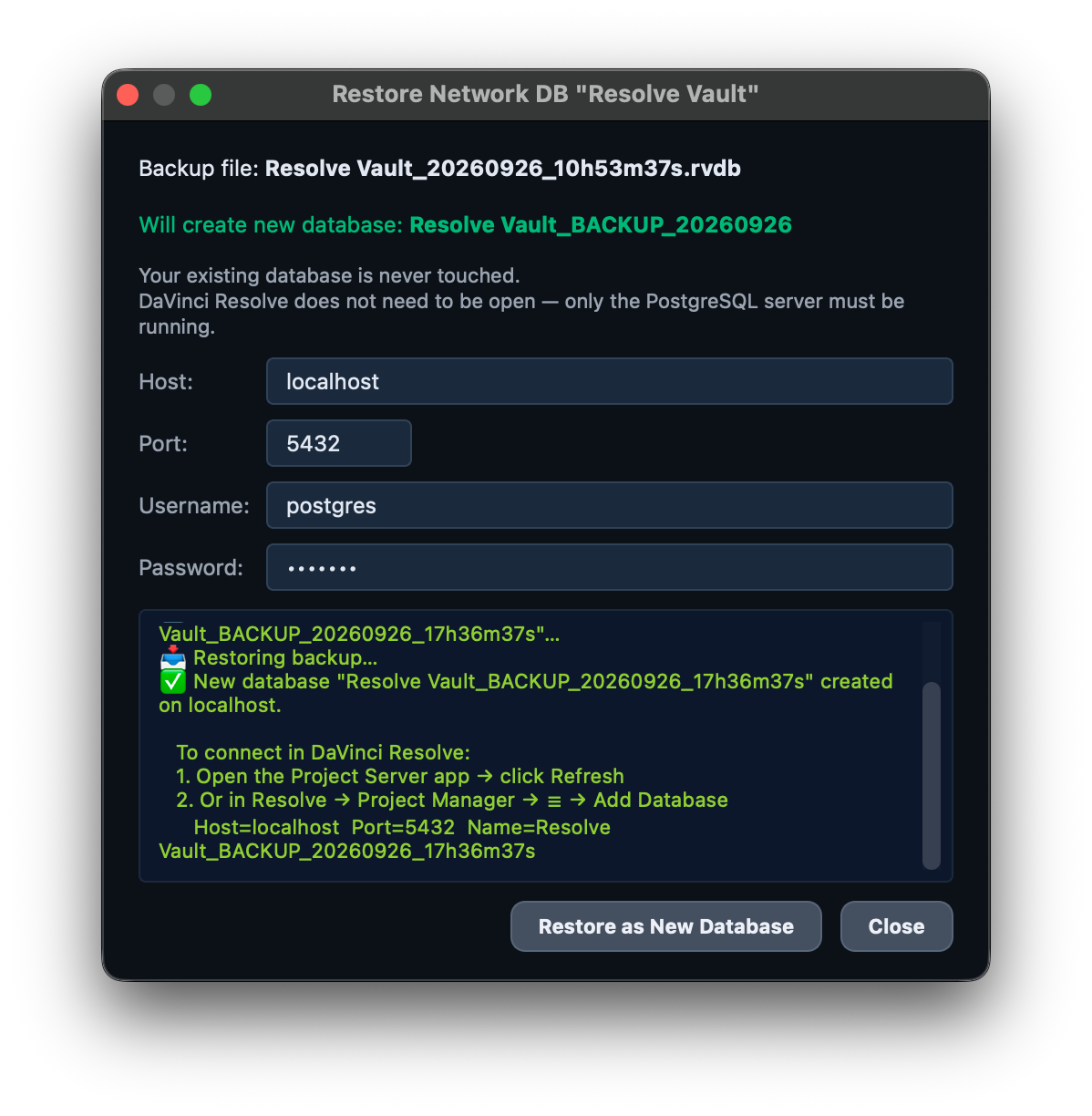
When you delete a project from a local database in DaVinci Resolve, its auto backups are also deleted! This is something many people don’t realize. See Deleting a project from the database also deletes its backups.
The Advantage of Cloud Connection
A backup on the same computer, or on a drive in the same room, is still exposed to the same risks as your project: a dead drive, a stolen laptop, a fire or a flood. A copy in the cloud doesn’t depend on your local drives.
In my previous article, I recommended uploading your .drp files and your database backups to the cloud. Resolve Vault does this for you:
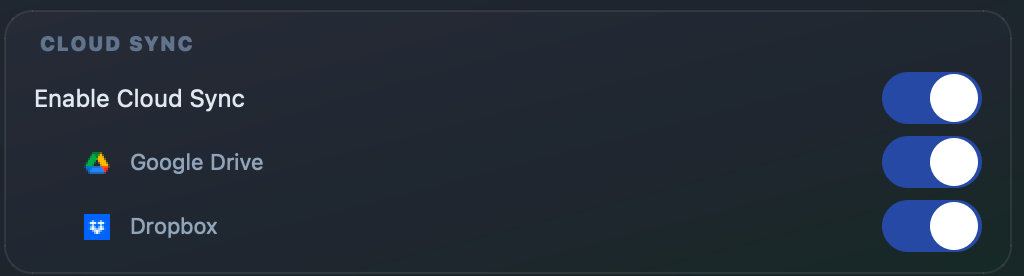
- Automatic: every project and database backup is uploaded to Google Drive, Dropbox or both, right after it’s created.
- Organised: backups go to a Resolve Vault folder, with one subfolder per project. With Google Drive, you choose the folder with Google’s own folder picker.
- Private: on Google Drive, Resolve Vault only accesses the files it creates. On Dropbox, it uses its own app folder.
- Safe if the upload fails: with no internet, an expired sign-in or full storage, the backup is kept on your disk, and the app tells you what went wrong and how to fix it.
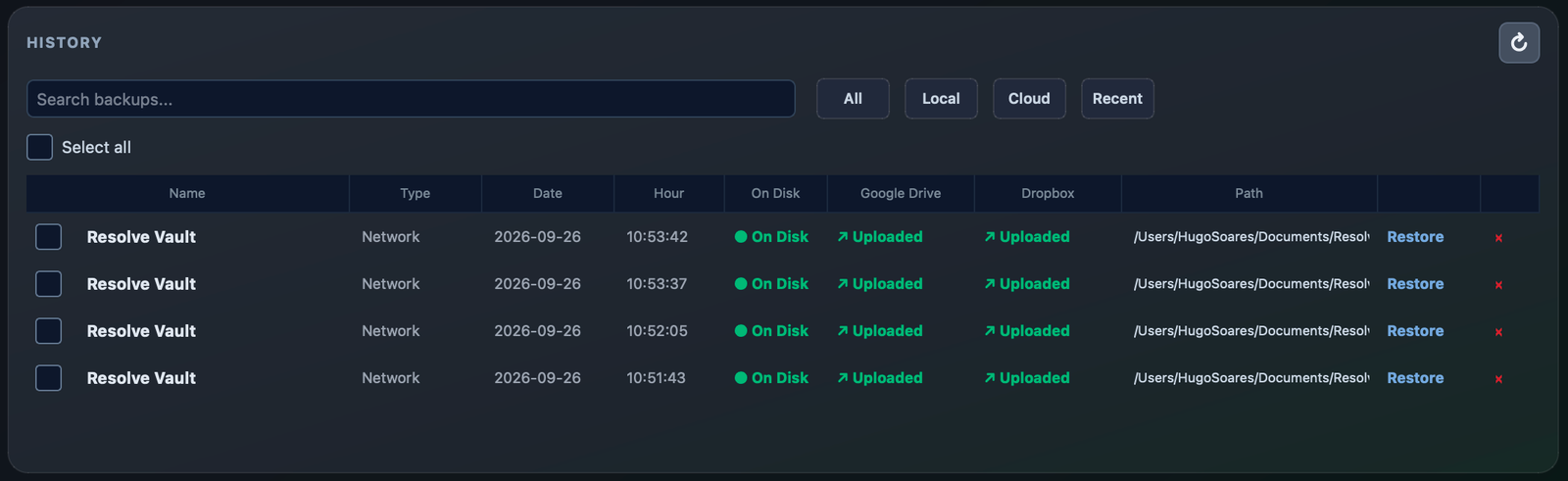
- Always visible: the backup history shows whether each backup is on disk, in Google Drive and in Dropbox.
- Restore from anywhere: if your computer fails, your backups are waiting in the cloud. Download them on another computer: a .drp opens directly in DaVinci Resolve, and a database backup is restored with Resolve Vault, using your license.
Conclusion
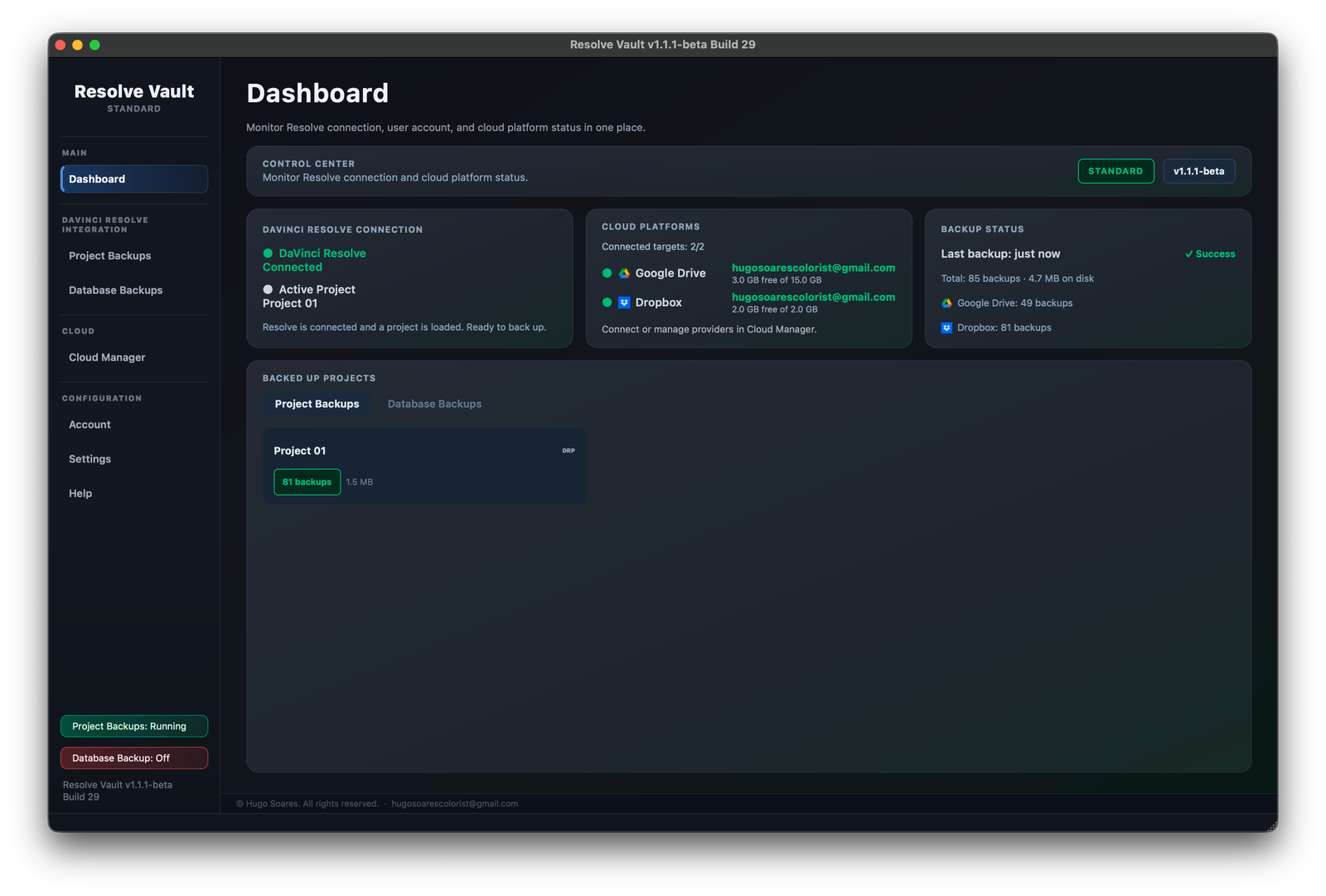
DaVinci Resolve already does a great job of protecting your work while you edit and grade, and its backup system makes sense for keeping your computer free of unnecessary files.
But when a project matters, I prefer not to leave anything to chance. Resolve Vault was built for those moments: a project deleted by accident, a multi-user PostgreSQL database without project backups, or older backups that have already been cleaned up.
In My notes and Recommendations, I suggested exporting a .drp of your project every day, backing up your database at least once every two weeks, and uploading those files to the cloud. Resolve Vault does all of this automatically, so you don’t have to remember.
With Resolve Vault, every backup is kept until you decide to delete it, saved as a real .drp or a full database backup, and can be sent automatically to Google Drive or Dropbox, safe and away from your machine.
It’s not a replacement for DaVinci Resolve. It’s an extra layer of security, built by a colorist who prefers to be as safe as possible.
If you’d like to see how it works, feel free to visit the Resolve Vault website. There’s plenty of free information and video tutorials showing the app running, so you can decide whether it’s right for you before you buy.
And if you have questions, ideas or your own backup workflow to share, join the Resolve Vault community on Discord. I’d love to hear how you protect your projects.
A big thank you to the 55 beta testers who put Resolve Vault through real jobs. Many of the improvements came from you.
Thank you, and until the next article,
Hugo Soares
 Visit Resolve Vault